GMAC, the maker of the GMAT, began offering the GMAT Online exam in 2020. The online exam, which is proctored remotely, is a viable option for those of you who don't have easy access to a testing center or cannot make an appointment at a testing center in time for your business school deadlines.
I strongly recommend that you take the exam at a testing center, if at all possible. However, if the GMAT Online exam is the option that works best for you, then you will perform better if you understand what makes the test-taking experience so unique. You won't be able to just jump online and take the test. In this article, I discuss the GMAT Online's requirements and testing experience.
The exam includes the Quantitative, Verbal, and Data Insights sections. Each section contains the same number of questions and time per section as the in-person GMAT exam. The section order can be changed, and you have the option to take one 10-minute break after one of the sections. Please be aware that checking in with the live proctor after your break usually takes some time, so return early.
Although the appointment dates are limited, on purpose, appointment times are available 24 hours a day, 7 days a week. You can schedule an exam appointment up to 24 hours before an available testing window. The availability of testing slots from the test provider depends on the day you seek (weekends being the most popular) and how heavy the demand might be (the demand soars as business school deadlines draw near).
GMAT Online is available in most locations, including the U.S., Canada, and Mexico. Proctoring is in English.
When you take the GMAT Online, you must be in a private area, with no other people present, just as you would be in a testing center. If another person comes into the room during the exam, the exam will be ended by the monitoring proctor.
In addition, the test provider has several requirements put into place for the express purpose of preventing cheating.
You are allowed to use a physical whiteboard (12 in. x 20 in.) for calculations and test-taking notes. We strongly recommend this option over the online whiteboard that is provided as part of the exam.
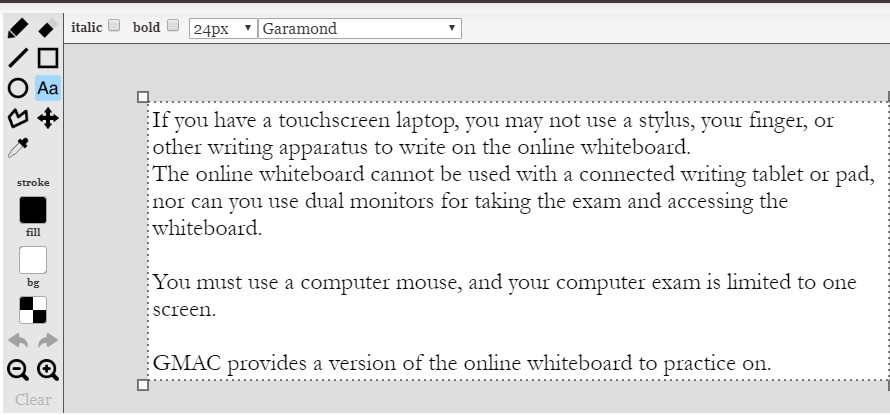
The online whiteboard has significant limitations.
If you must use the online whiteboard, be sure try out the practice whiteboard provided by GMAC in advance.

You must take the online exam in a room with four walls. The door must be directly behind you or visible to the proctor for the duration of the exam.

Certain clothing items are also prohibited during testing.

The test may only be taken using one monitor (not an ultra-wide). Turn off and unplug any additional monitors and computers in the room.
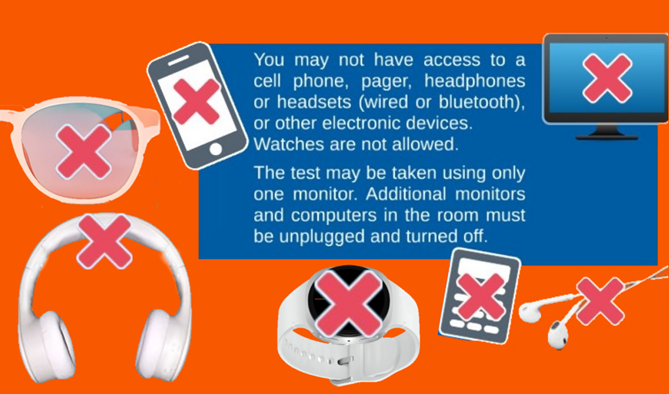
You may not have access to cell phone, pager, headphones or headsets (wired or bluetooth), smart watches, smart glasses, or other electronic devices during the exam. Watches are not allowed.
You may not bring in a calculator, and you may not use a calculator for the Quantitative section. You will have an online calculator available to you for the Data Insights section.
During the exam, the proctors will use your computer microphone or chat function to communicate with you. However, during the check-in procedure, the proctor will text you via cell phone to request you to send pictures of your testing location. Therefore, have your cell phone with you at the beginning, then put it on silent and place it behind you and out of arm's reach.
As part of your GMAT preparation, make sure that you have the right equipment to take the test.
You're ready to take the GMAT, but first go through this final checklist to ensure that test-taking goes smoothly for you.
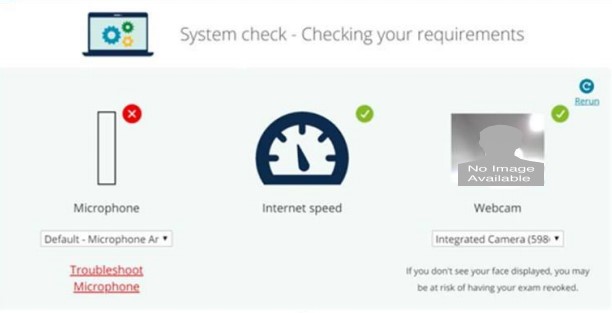
You will be live-monitored via webcam and microphone by a human proctor, supported by Artificial Intelligence. The session will also be recorded.
Our students report that the proctors sometimes show up late to begin the exam. You must log in 30 minutes prior to your exam, but your proctor may arrive up to 20 minutes later: Mentally prepare for that possibility, and don't let it fluster or aggravate you.
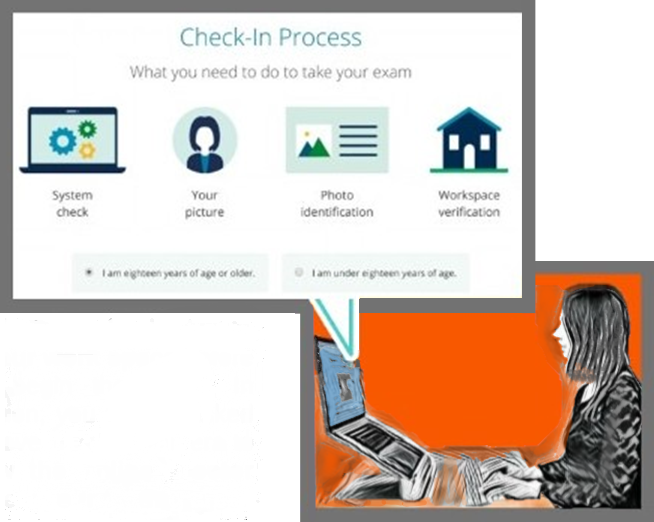
You will have a headshot taken via web camera, and you will also be asked to hold up a photo ID. The headshot and photo ID will be compared with Artificial Intelligence.
You must take photos of the work space before beginning the exam (typically taken and sent with a cell phone via the link texted to you by the proctor). In addition, you will be asked to move the web camera to allow the online proctor to view the entire testing area (360 degrees).
You will not be allowed to leave the room during the exam, except for your one short break. Before your break, erase your physical whiteboard (and don't take it out of the room, obviously).
During the breaks, you may not access any electronic devices, including cell phones or smart devices. (This is also true at the test centers; save the texting until after the exam.) If you take longer than 10 minutes, your time on the next section will be reduced accordingly (or your exam may be ended). To end your break, use your webcam to pan across your room and desk, show your clear whiteboard (front and back) to the camera, and click the “End Break” button. The proctor does not actually have to be available during this.
If you leave at any other time during the exam, the proctor will end the test.
After you have completed the exam, you may view your unofficial GMAT score, the Total Score and the scores for all three sections. You will not have the opportunity to write down your score at that time, so try to remember it.
3-5 Days Later: After viewing the official score on the mba.com portal, you may send that score to your schools. You may send your scores for free to five schools within 48 hours. Use Additional Score Reports (for a fee) to additional schools. If you did better than expected, be sure to send your GMAT score to your "stretch" schools.
The schools will only see the score(s) that you choose to send, no other scores or nor how many attempts you have made.
Now that you know the basics of taking the GMAT exam online, check your computer set-up, clear your desk top, find a whiteboard, make a "Do Not Disturb" sign for the door ... and register for your test date. Now is the time to apply all the skills and knowledge you have been practicing for the last few months. You got this!
Austin GMAT Review is the premier GMAT preparation company in Central Texas, offering structured GMAT courses to professionals preparing to enter full-time, part-time, and executive MBA programs. Austin GMAT Review caters to busy professionals who don't have the time to sort through masses of generic study materials. Meeting with an experienced professor during classes taught in-person or online - streamed live from Austin, Texas - students receive the personalized coaching that they need and strategies to excel on the GMAT. When you're ready to apply to business school, Austin GMAT Review can help you successfully get through the admissions process.
If you seek top-notch expert help with the GRE test, we recommend our affiliate Austin Elite Prep for GRE preparation.